
Operations
Final Documents Summary
Shortly before a group arrives in the country, final numbers need to be reconfirmed with all suppliers that are booked for a tour. The Operations Department will create and distribute final documentation, such as the latest rooming list, booking reconfirmations, vouchers for payment, but also welcome signs and the final itinerary to all suppliers concerned. This will be done approx. 48 hours prior to group arrival.
1. Preparation
For OPS staff only
-
Open the Tourplan message queue and double-click the one to be activated (always prioritize urgent ones, then choose the one with the closest arrival date);
-
Write down Ref no
-
Action FD from the Q
-
Go in Group book under the Ref no > notes > 2nd point > Operations > “WO FD”
-
Copy the Final Doc Checklist (under notes) and print Note: please try to save paper/toner wherever you can!
For all staff
Go to Group Book > Ref. no > Header Details, change itinerary status to “WF”


-
Go to service list and sort by service

-
Take a screenshot of the Service List and print it
-
Cross out all “FOC, no pre-booking required” and all “OT, EX” or masses (no voucher needed)

-
Look up account handler sentence and insert into Notes > Booking Notes > Account Handler Information (if not already inserted)
-
look up guide details (on itinerary) and insert into Notes > Booking Notes > Guide Details
In between
-
Create a new folder with everything you need to send (located on your desktop)
-
Open itinerary (link usually under notes > 2nd point > Itinerary)
-
Create new welcome sign (see final doc checklist) or save the one that is given
-
Look up all supplier codes for VI, VS, FO, EN, AD lines at Final documents report document > either to send it to the guide or to supplier or supplier and guide (make notes on your printed Service List) and make sure to read the notes! (never send transportation from TP).

-
If FOC, but pre-booking required > only confirmation (please ask member of the team to show you J )
-
Are there any services that need attachments or special confirmation sheets (National Museums, Cliffs of Moher, Rock of Cashel?) (Cliffs of Moher confirmation should be on the Sent Documents folder)
-
Shannon Car Ferry Line? > see below
-
Ferries in general > see below
-
Look for expenses sheet (if not linked: search in shared information, sent documents, search for ref no)
-
Create SRSU sheet. Go to Documentation > itinerary, enter code SRSU + file with reference number. This sheet is a summary of all reference numbers in the supplier confirmation field in the service list and ensures guides have all necessary references at hand.
-
I. Please note that if the itinerary (FR) has been created using the TEGT code we need to use code TESU to create the summary of all reference numbers and voucher text.

Rooming Lists
-
Write down Rooms & pax numbers from the Pax Configuration
-
Either find the names in “Rooming List” > List Configuration OR
-
Under notes > 2nd point > RL Configuration (check if it is maybe amended > then use GRAL code)
-
Any specials (driver last night off, porterage??)
-
If porterage is included, make sure that the note is inserted under notes > 1st point > Porterage;

-
Copy Rooming List into word document and save it (for the guide’s email later)
-
Sent Rooming List as usual
-
Copy and save Rooming List before closing the window and save it as a PDF file on your desktop folder
-
(Remember specials: BERL (Behringer) or GRLC for the Gresham and follow the indications in TP who to copy on this email
-
If OB/OF status: see below
3. Vouchers
-
If everything is on OK status (or AL/FA/PA/OB/OF for hotels)
-
If lunch or drink (not welcome drink) change to OK and send vouchers. If service on RQ check with the operations team.
-
Open Tourplan > Operations > Operations

-
Click on Bulk messaging > (4) Voucher > Filter 2 > enter the reference (numbers only!)


-
Services > tick all services needed (hotels, visits, food, activities, entertainment. No OT, TR, EX!

-
SEND > GRVO (or for amended GRVA and GRVG for Gresham vouchers) and tick the EDIT prior send box and send

-
Open itinerary and double check every voucher for times/menues/ref numbers etc. > any differences? Ask account handler or the one who booked
-
As per previously checked on Final Document report, adjust the sentence to be sent to the supplier as below:
-
To Supplier only: Leave the sentences (send as email to supplier)
-
To Supplier and Guide: Delete “PLEASE NOTE THAT THE GUIDE OR TOUR LEADER WILL NOT HAVE AN ORIGINAL VOUCHER WITH THEM ON ARRIVAL.”(send to supplier and save as PDF file in folder)
-
To Guide only: delete “PLEASE NOTE THAT THE GUIDE OR TOUR LEADER WILL NOT HAVE AN ORIGINAL VOUCHER WITH THEM ON ARRIVAL.”…. & It is imperative...guide details” (only save as PDF file in folder) – Send voucher to the guide as well for his services.

-
When filing vouchers: please save under “VO [name of supplier] reference no”
-
If Driver or Guide accommodation: Sent one to Hotel and save as well (send to guide/driver in the end). Only file AC vouchers if extra night or guide/driver accommodation.
-
Send Vouchers one after one to responsible person
4. Outlook emails
-
Check final documents checklist what is necessary to send to who
-
Find the email models in here (replace name and signature on the email with your own and save them as signature on Outlook);
-
If more than 1 coach company/ guide: please check which dates the companies are booked for and send them only documents that are relevant for their respective days
-
COACH: Use Coach Company FD Signature! Attach usually: 1. Expenses Sheet 2. Most updated itinerary 3. Welcome Sign 4. Cliffs of Moher confirmation (If they have a visit at Cliffs of Moher) (sometimes: barcode Shannon car ferry, driver accommodation)
-
GUIDE: Use Guide signature! Attach usually: 1. GUIDE Voucher 2. Voucher for Visits 3. Rooming List 4. Most updated itinerary 5. Welcome Sign (sometimes: attachments (Cliffs, Rock…), Barcode Shannon Car Ferry, Accommodation Voucher, agents programme etc.)
-
GUIDING AGENCY (if applicant): Make sure that the Guide Voucher is addressed to the agency > use agency signature, sent required documents (most of the times same as to the guide as they will forward it)
-
DRIVER/GUIDE (if applicant): Use Driver/Guide signature! send required documents (most of the times combined documents for coach and guide
-
TOUR LEADER (if applicant): Use TL signature! Attach needed files, send to given email address or account handler
5. Afterwards
-
Change “WO FD” in Operations into “FD sent”
-
Change itinerary status in Header Details to “FS”

-
Move sent emails for this final doc to Public Folders (Public Folders > All public folders > Operations > Final docs [relevant year] > Month of travel date)
-
If applicable: Move saved files to “sent documents > [relevant year]”
For OPS staff only
-
Add Final doc to “Weekly FD & RL” report
-
Add to your own weekly report
SPECIALS:
OB/OF Status Hotels:
Hotel status “OF”
-
This group has been outbooked from this hotel (Hotel A) to another hotel (Hotel B).
That means the hotel had overbooked their rooms, and effectively do not have any space for our previously confirmed group anymore. Thus, our group has been relocated to a different hotel (by us, or Hotel A themselves).
There are 2 possibilities:
-
we are paying Hotel A, who then passes on payment to Hotel B -> called “outbooked, no cost” ; status “OB”
-
we are paying Hotel B, no payments to Hotel A -> called “outbooked, cost”; status “OC”
Where do you need to send rooming lists and vouchers?
-
OB status: RL to be sent to both, VO only to the hotel we’re paying (Hotel A)
-
OC status: RL & VO to be sent to ONLY the hotel we pay (Hotel B).
Drinks on TB
-
If Hotel: Check if the group stays in the relevant hotel
-
Yes: put on OK > when sending the Voucher verify if at the email body, the information about what kind of drink and the budget is inserted. If not, check with Lunch person or account handler.
-
No: check with Lunch person or account handler
SHANNON CAR FERRY
-
If there is a Shannon Car Ferry Line > have a look in the iti: how large is the coach (49 seater usually large) if unsure check contracts: Ndrive/General info/rates/2016/coach&carhire, if no length given call coach company
-
go under N:\Groups - 1st Floor\Operations Department\Shared Information\Shannon Car Ferry\Unallocated Bar Codes\ size you need
-
Rename document by adding the ref number of the group

-
Open and take a snapshot (without price!!)
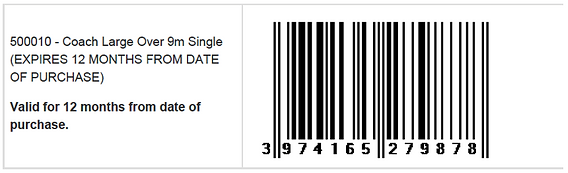
-
Paste copied snapshot in new word document & save to under ndrive/groups1st floor/operations/shared info/saved documents
- this is to attach to the email sent to guide or driver/guide -
Paste copied snapshot in itinerary and insert note for Shannon car ferry (see “notes for iti”) > save
-
Close barcode PDF document and cut from the existing folder, go to “used barcodes” folder and paste the PDF file under applicable folder - size (large, medium..) and respective travel month
-
Change service line status to “OK” from “TB”
-
Check if costs are correct & if one of the following options for the ferry is inserted in the service list: FECLO9, FECMM9, FECSM8, FEMLM7
FERRIES – make sure the following information is on the itinerary
-
Shannon Car Ferry
You need to include from where to where the ferry is crossing – Tarbert to Killimer or vice versa. Please check on the map which I’m sure all of you have at hand when creating itineraries. -
Aran Island Ferries (all companies)
You need to include the time when the ferry returns to the mainland (16:00 or 17:00). Please also always make sure this information is on the voucher when sending final documents! -
P&O, Irish Ferries, Stena Line
You need to include check-in times , ferry departure and arrival times and ports, reference numbers (if already known).
Stena Line: You have to send them an email from Outlook with the voucher and the list of passengers attached. You can find the passenger list on the Correspondence public folder in Outlook.
Check-in closes at the following times:
Irish Ferries - 2hrs prior to departure
Stena Line - 30mins prior to departure
P&O - depends on route, see breakdown below. To be safe, please make it 1 hour prior to departure, 90mins for North Sea.
-
Short Sea routes: check in closes 30 minutes before departure time for all categories of traffic other than foot passengers and motorcycles, where the close down is 60 minutes.
-
North Sea routes: check in closes 90 minutes before departure.
-
Irish Sea routes:
Liverpool/Dublin: check in closes 1 hour prior to the scheduled departure time
Larne/Cairnryan: check in closes 30 minutes prior to the scheduled time of departure for all categories of traffic other than foot passengers, where the close down is 45 minutes.
Please note: Sailings may depart up to 15 minutes before scheduled departure times.
Updating Itineraries:
If something needs to be updated on the itinerary (venues etc.) look for it under: http://web1/opsreport/default.aspx
(copy & paste (text only, do not keep table format for the copied text!))
Notes for updating itineraries:
Porterage included: 1x piece of luggage per person in/ out of the hotels to be invoiced to Abbey Ireland & UK
Porterage Included - Guide to ring ahead and re-confirm estimated Time of Arrival with hotel in order to ensure porterage services are on hand for the group.